 SciCope
Product
Everything the experiment needs, in one app
An AI that plans and runs the work, the instruments it drives, and the analysis that turns pictures into numbers — with a record of every step.
AI and automation
An AI that runs the experiment — and shows each step
It sees which cameras are open, where every stage is, what is running and which pictures are loaded, and it acts on all of it one visible step at a time.
- Plans you read before they run. Positions in mm, exposures in ms, waits in seconds.
- You stay in charge. Moves, focus changes and series wait for your Allow — or switch on hands-off mode for runs nobody watches.
- Drives the analysis too: open a folder, detect, track, measure and export from the same conversation.
- Builds new tools as forms, tested on one of your own pictures before you see them.
- Runs for days on its own. It writes a schedule — pictures, timelapses, programs and its own checks — that you can read, change or save for later, and it writes the experiment report.
- Reports back honestly. File names, positions and errors go back into the conversation, so its next answer is about what actually happened.

Instruments
Every instrument on the bench, one window
Cameras, motorised stages, lights and a focus lens, driven from your own computer over USB, serial or the lab network — no vendor software open on the side.
- Cameras: Andor EMCCD with every Solis setting, Thorlabs uc480, USB cameras and phones.
- Stages: Newport XPS controllers, GRBL (Arduino) and Marlin boards — several stages per microscope.
- Microscopes: ZEISS Axio Imager M2m and Smartzoom 5, with autofocus on their focus drives.
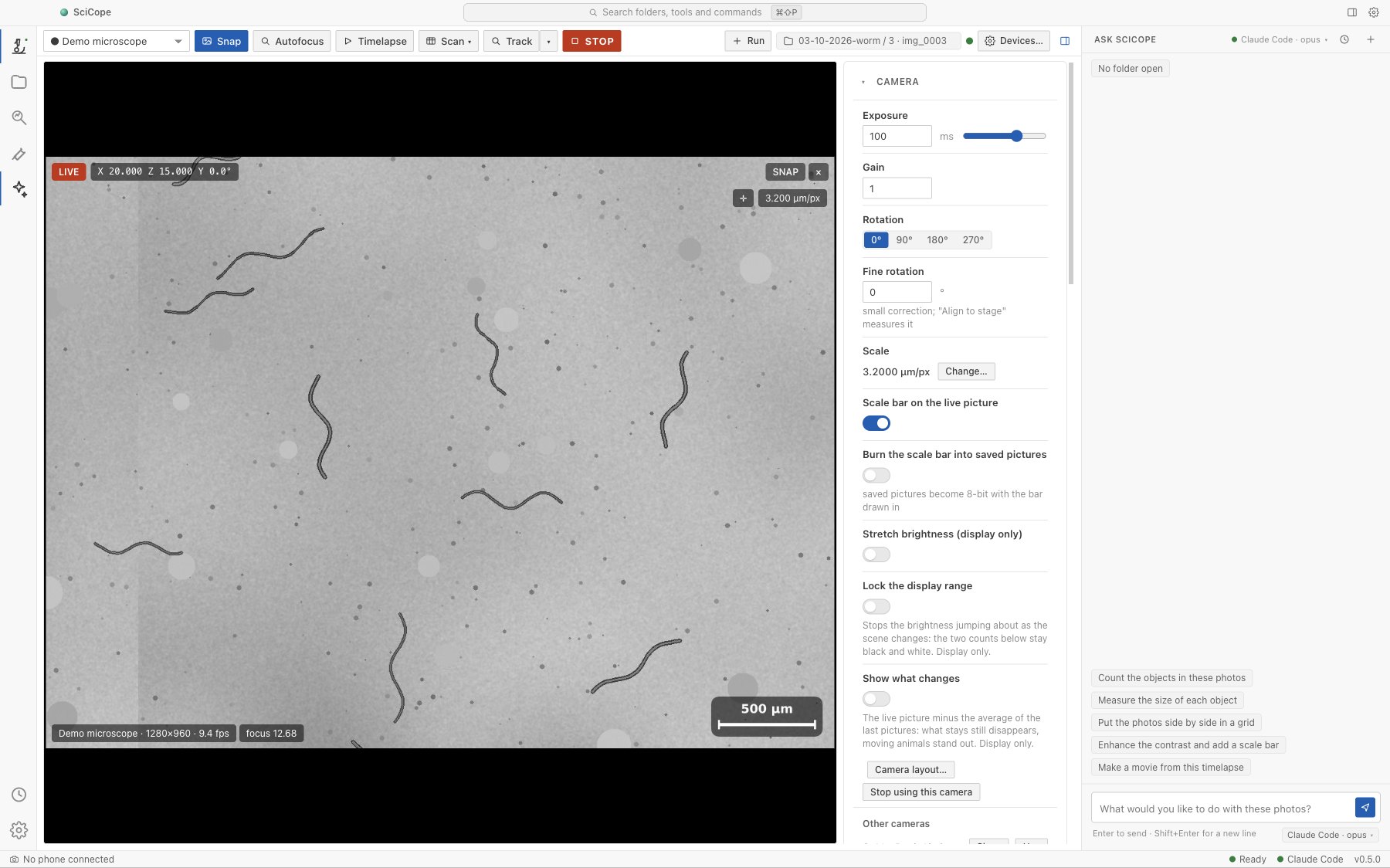
- Several microscopes in tabs, each an app of its own. One red STOP halts everything.
Automation
Experiments that run themselves
The routines a bench actually needs, with the steps sized from the camera’s own field of view.
Plate scans
A grid or a spiral with the overlap you choose, stitched back into one picture.
Timelapses
Any interval — sub-second ones save frames from the live video — at one place or a list of coordinates.
Live tracking
Every animal gets a number that stays with it; click one on the live picture and the stage keeps it centred — even right after the picker puts it down.
Loop programs
Chain moves, focus, pictures, waits and light pulses. Save them and run them again tomorrow, exactly the same.
Measurement
Real units, and every setting with every picture
Every measurement needs the scale, and every picture should say how it was taken.
- The pixel size in seconds: from a ruler SciCope finds by itself, a line you draw, the optics, or a stage move — kept per objective.
- Every setting saved: camera, exposure, gain, stage position, focus, lights and objective — in captures.csv, in a record beside the picture and inside the file itself.
- Sessions and runs: one folder per experiment and a numbered folder per run, in Documents/SciCope or wherever you choose.
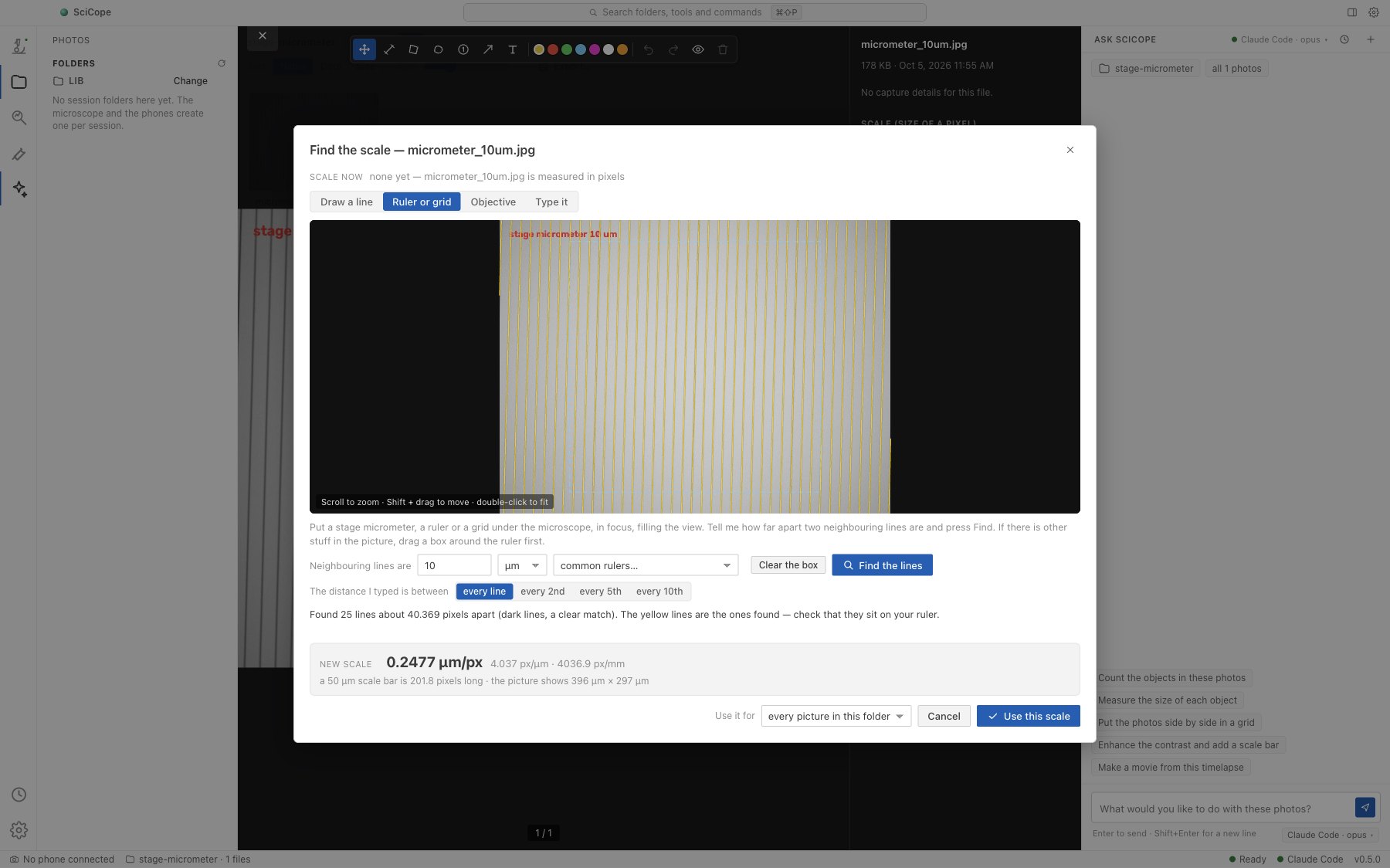
A stage micrometer: SciCope finds its lines itself and works out 0.2477 µm per pixel.
Analysis
An analysis workspace that says where it’s unsure
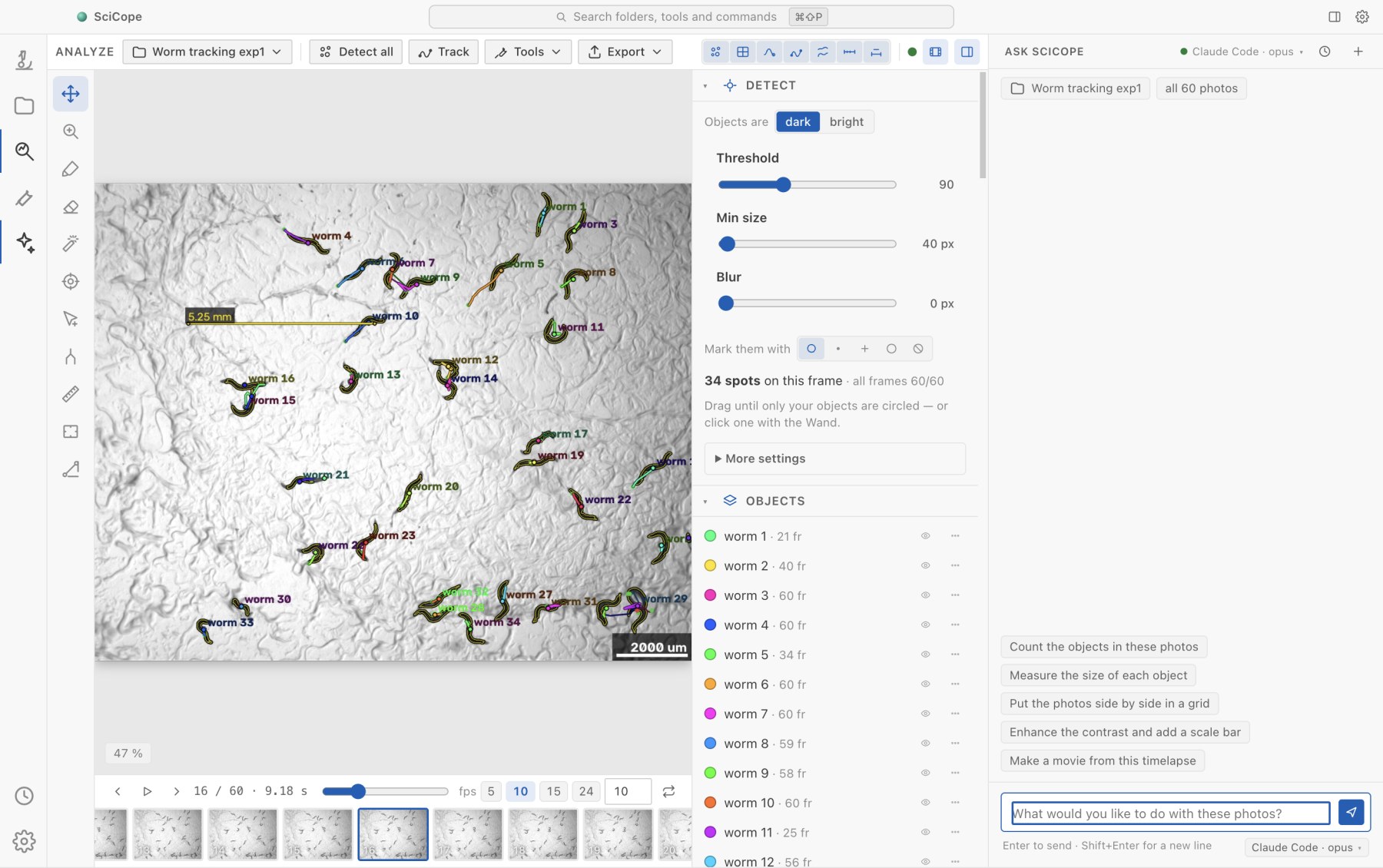
Find, track and measure your animals through every frame — and see every moment that needs a human.
- Find objects with one slider: dark or bright, a threshold and a size, with a live count under your thumb.
- Track and measure in micrometres and seconds: speeds, distances and areas per object.
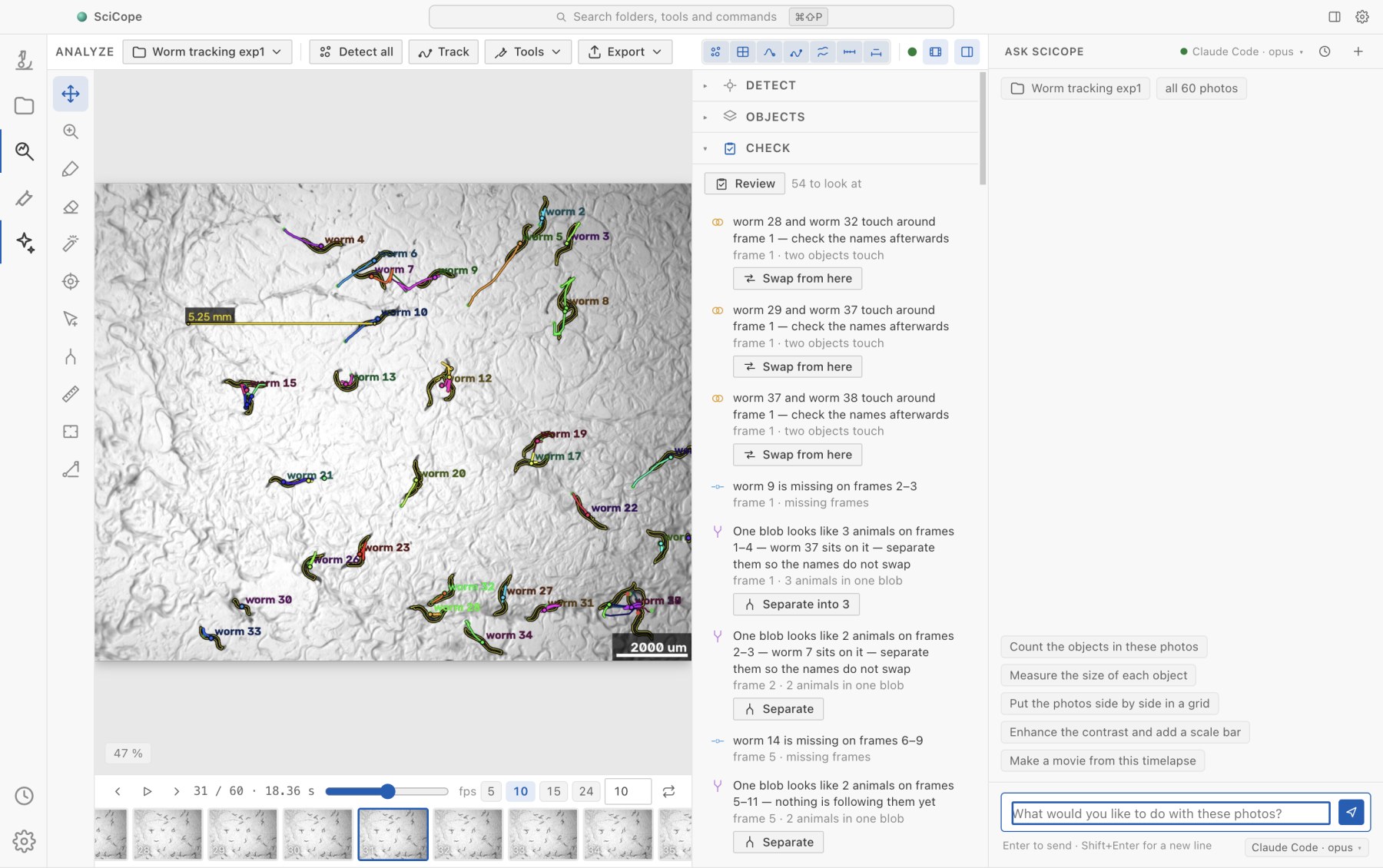
- The Check panel lists animals touching, clumps, gaps and jumps — each with the button that fixes it. Your corrections stick.
- Export what the paper needs: overlay movies with a scale bar and a clock, montages, stitched plates and CSV tables.
Phones
Phones are cameras too
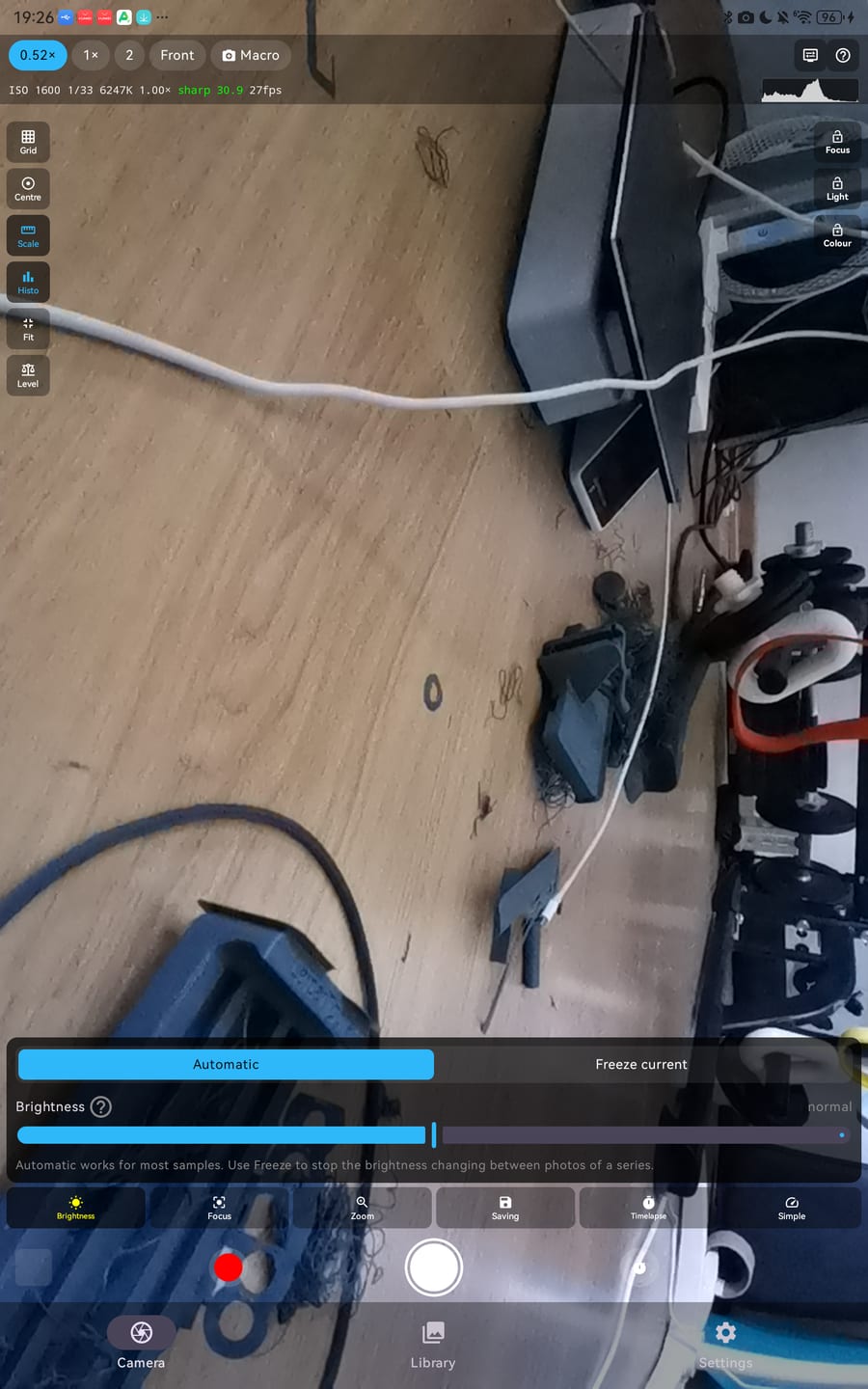
Put a phone in the eyepiece adapter and it appears as a camera in the Microscope view. The desktop app takes the real, full-resolution photo.
- Pairing like a remote-desktop tool: the phone shows a 9-digit SciCope ID and its owner taps Allow.
- Same Wi-Fi or anywhere: direct on the lab network, through the SciCope relay from elsewhere.
- Full control: lens, zoom, manual or locked exposure, focus and white balance.
- Works alone too: timelapses, focus stacking and session folders on the phone itself.
Also in the box
Ready on the first start
Try it without hardware
A simulated worm plate that pans, focuses and brightens like the real thing.
Pictures from any microscope
JPG, PNG and 16-bit TIFF series, with real frame times from captures.csv.
Python built in
NumPy, SciPy, scikit-image, OpenCV and pandas inside the app. Fiji is optional.
Mac and Windows
Apple Silicon and Intel Macs and 64-bit Windows, in light and dark.
See it run before you plug anything in.
The demo microscope inside the app simulates a camera, a stage, a light and a focus lens on a worm plate. Autofocus, scans, tracking, programs, the assistant and the whole analysis work on it.